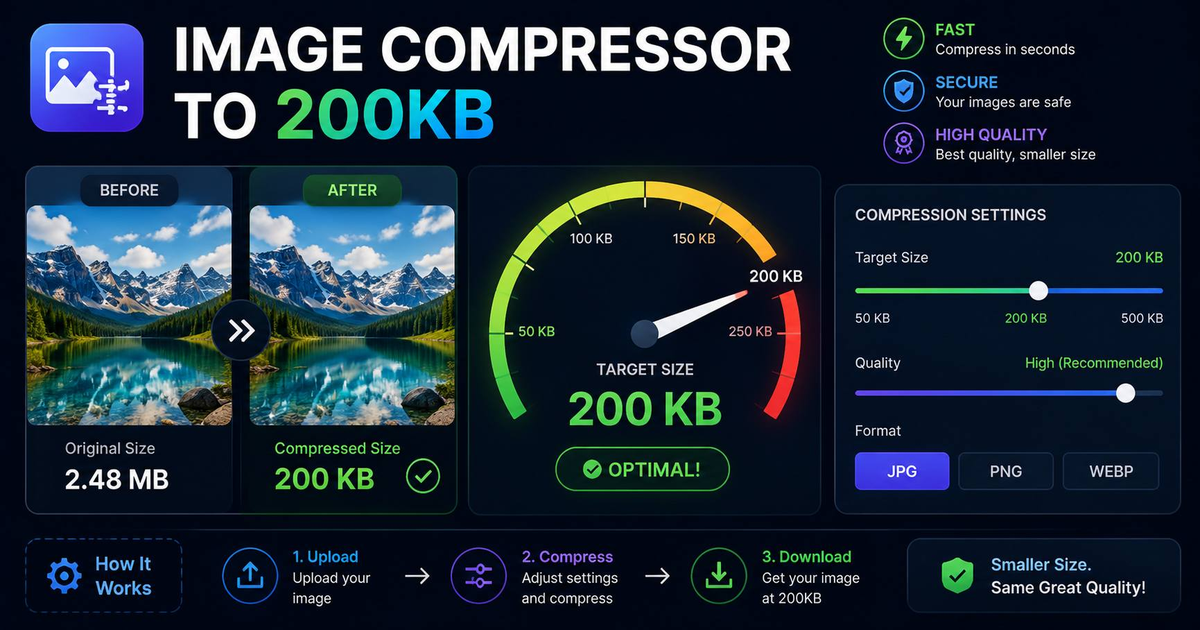

To compress an image to under 200KB without visible quality loss, convert to WebP at quality 75, strip EXIF metadata, and resize to the largest dimension you actually need (typically 1920px on the long side for web). A 4MB iPhone JPG typically lands at 150-180KB after this pipeline, with zero perceptible quality difference on a phone or laptop screen.
How do you compress an image to under 200KB without losing quality?
To compress an image to under 200KB without visible quality loss, convert to WebP at quality 75, strip EXIF metadata, and resize to the largest dimension you actually need (typically 1920px on the long side for web). A 4MB iPhone JPG typically lands at 150-180KB after this pipeline, with zero perceptible quality difference on a phone or laptop screen.
How to compress an image to 200KB in 60 seconds
- Open the image compressor. Load our free Image Compressor, runs in your browser, no upload.
- Drag your image in. JPG, PNG, WebP, GIF all supported.
- Set the target size to 200KB. The tool iterates compression quality until the output lands under your target, automatically picking the best quality that meets the size cap.
- Download. Compare side-by-side before saving, if quality loss is visible, raise the target to 300KB or 500KB.
Common upload limits by platform (2026)
| Platform | Limit | Recommended target |
|---|---|---|
| Gmail attachment (inline) | 25MB total | 500KB per image |
| Outlook (corporate) | 20MB total | 400KB per image |
| LinkedIn post image | 5MB | 500KB-1MB |
| LinkedIn cover photo | 4MB | 800KB |
| X (Twitter) image | 5MB | 400KB |
| Instagram feed photo | 30MB | 1MB |
| WhatsApp document upload | 100MB | 200KB |
| Most contact form uploads | 2-5MB | 200KB |
| Government / visa portals | often 200KB hard cap | 180KB (buffer) |
The 3-lever compression strategy
- Format swap. WebP is 25-35% smaller than JPG at identical quality. AVIF is another 20% smaller than WebP. Both are universally supported in 2026.
- Quality reduction. Drop from 95 to 80 for a 50-60% size cut with no visible difference. Drop to 70 if you need more. Usually still imperceptible on screen.
- Resize. If you don't need 4000px wide, don't ship 4000px wide. Resize the long edge to match the largest place the image will display (1920 web, 1080 mobile, 800 thumbnail).
Combining all three lets you compress a 5MB iPhone photo down to 80KB and still look pixel-perfect on screen.
When you should NOT compress aggressively
Print at 300 DPI, archival photography, e-commerce hero shots, and any image you may need to crop or re-edit later — keep the master at high quality (lossless or quality 95+) and compress copies for distribution. Once compressed, the discarded detail is gone.
Frequently Asked Questions
Will compressing damage the original image?
Our compressor produces a new file, the original on your disk is untouched. We never upload your images; everything happens in your browser.
Why is my PNG so much bigger than my JPG?
PNG uses lossless compression. It preserves every pixel exactly. JPG discards detail the eye won't miss. For photos, use JPG or WebP. For graphics with transparency, use PNG or WebP.
Can I compress an image without losing any quality at all?
Yes, lossless compression (PNG optimization, WebP lossless mode) reduces file size 20-50% with bit-identical output. Savings are smaller than lossy, but pixel-perfect.
Related Free Tools
Last updated: 21 May 2026 — author: Mirsal Saidu.