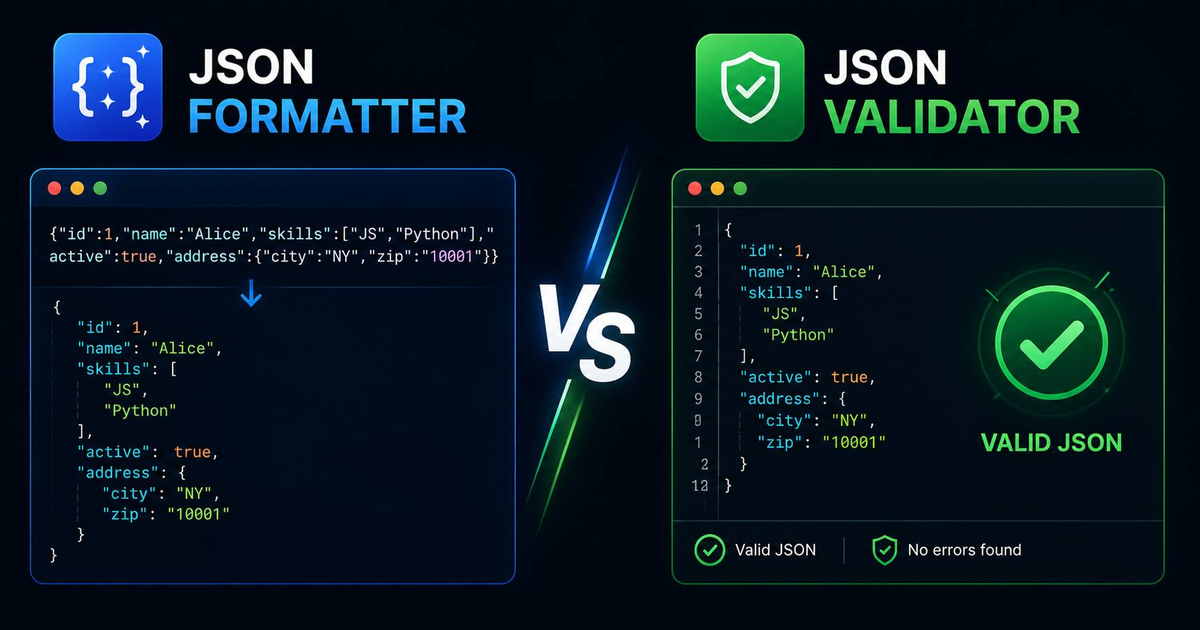

A JSON formatter indents and line-breaks raw JSON for readability. A JSON validator parses the same JSON and reports syntax errors (missing commas, unquoted keys, trailing commas, mismatched braces). Most modern online tools, including our free formatter, do both in one pass: it parses the input (validating), then re-serializes with indentation (formatting). If the parse fails, the validator surfaces the error line.
What is the difference between a JSON Formatter and a JSON Validator?
A JSON formatter indents and line-breaks raw JSON for readability. A JSON validator parses the same JSON and reports syntax errors (missing commas, unquoted keys, trailing commas, mismatched braces). Most modern online tools. Including our free formatter — do both in one pass: it parses the input (validating), then re-serializes with indentation (formatting). If the parse fails, the validator surfaces the error line.
How to format and validate JSON in 60 seconds
- Open the formatter. Load our free JSON Formatter, it runs entirely in the browser, no data leaves your machine.
- Paste your JSON. Either drag a .json file in, or paste raw text.
- Read the validation result. If valid, the output panel shows the pretty-printed version. If invalid, a red error banner points at the failing character.
- Fix and re-run. Common errors: trailing comma after the last array element, single quotes instead of double, unquoted property names.
- Convert if needed. Use the CSV to JSON converter to transform tabular data into a JSON array.
Formatter vs validator: side by side
| Operation | What it does | Output | When you need it |
|---|---|---|---|
| Format | Adds whitespace, indentation, line breaks | Readable JSON | Code review, debugging, documentation |
| Validate | Parses against the JSON spec (RFC 8259) | Pass/fail + error location | Before sending to an API, before commit, in CI |
| Minify | Strips all whitespace | Compact JSON | Network payloads, embedded config |
| Diff | Compares two JSON payloads | Structural delta | API response regression, contract tests |
The 7 most common JSON errors a validator catches
- Trailing comma:
{"a": 1, "b": 2,}, illegal in strict JSON, allowed in JS5. - Single quotes:
{'a': 1}, must be double quotes. - Unquoted keys:
{a: 1}, keys must always be strings in double quotes. - Unescaped backslash:
"path": "C:\Users", needs\\(double backslash). - Trailing comment: JSON spec has no comments, strip
//and/* */. - NaN or Infinity: Not valid JSON values. Use null or a number.
- Mismatched braces: Most common in hand-written JSON, count opening and closing characters.
Format and validate JSON from the command line
If you're in a terminal, use jq for the same job:
echo '{"a":1,"b":[2,3]}' | jq .
# pretty-prints. Exit code 0 = valid, non-zero = syntax error
For Python: python -m json.tool input.json. For Node: node -e "console.log(JSON.parse(require('fs').readFileSync('in.json')))".
Frequently Asked Questions
Can a JSON formatter break my data?
No. A correctly-written formatter parses then re-serializes without modifying values. Whitespace changes only. Run a diff before and after if you're paranoid.
Should I validate JSON on the server or client?
Both. Client-side validation catches typos before the request; server-side validation catches malicious or malformed payloads. Never trust client validation alone.
What's the difference between JSON and JSON5?
JSON5 allows comments, trailing commas, single quotes, and unquoted keys, it's a developer-friendly superset. Most production APIs reject JSON5; use it for config files only.
Related Free Tools
Last updated: 21 May 2026, author: Mirsal Saidu.