Should I use title case or sentence case for headlines?
For SEO, the title case vs sentence case choice makes no difference that Google documents. Its guide to title links doesn't mention capitalization at all, so the choice comes down to style and consistency. A common split is title case for the main H1 title and navigation items, which gives them a more formal look, and sentence case for H2 and H3 subheadings, which read more like ordinary sentences. Using sentence case everywhere is just as standard: the Google developer documentation style guide and the Microsoft Style Guide both use it for titles and headings.
The two styles side by side
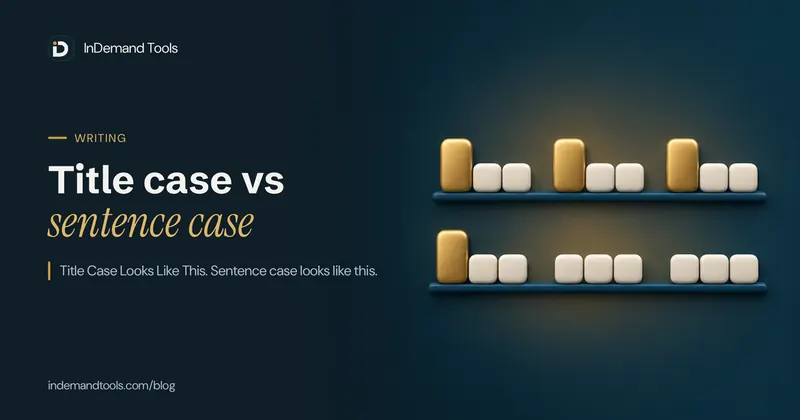
Title case capitalizes the major words. Sentence case capitalizes only what a normal sentence would: the first word and proper nouns.
| Style | Example |
|---|---|
| Title case | How to Convert a JPG to PDF on an iPhone Without an App |
| Sentence case | How to convert a JPG to PDF on an iPhone without an app |
| All caps | HOW TO CONVERT A JPG TO PDF ON AN IPHONE WITHOUT AN APP |
"JPG", "PDF" and "iPhone" keep their normal spelling in both of the first two styles. That's the part automatic converters get wrong most often, as shown further down.
Title case rules
Style guides differ on the details, especially short prepositions, so pick one guide and follow it. The Microsoft Style Guide's version is easy to apply:
- Always capitalize the first and last words.
- Don't capitalize a, an or the unless it's the first word.
- Don't capitalize prepositions of four or fewer letters, such as on, to, in, up, down, of and for, unless they come first or last.
- Don't capitalize and, but, or, nor, yet or so unless they come first or last.
- Capitalize everything else, including short verbs like "is" and pronouns like "this" and "its".
- After a hyphen, capitalize the word if it would be capitalized on its own or if it's the last word, as in "Self-Paced Training".
Applied to the example above, "Without" is capitalized because it's a seven-letter preposition, while "to", "on", "a" and "an" stay lowercase.
Sentence case rules
- Capitalize the first word.
- Keep proper nouns, brand names and acronyms as they're normally written: Google, JSON, iPhone.
- Capitalize the first word after a colon in a title or heading. Google's and Microsoft's guides both do this.
- Don't add a full stop at the end of a heading, even though it's written like a sentence. Google's style guide says so explicitly.
Title case vs sentence case examples
These headings follow the Microsoft rules above for title case, and the Google and Microsoft rules for sentence case, including the capital after a colon:
| Title case | Sentence case | Rule it shows |
|---|---|---|
| Why Your Site Is Slow and How to Fix It | Why your site is slow and how to fix it | "Is" and "It" are capitalized in title case; "and" and "to" aren't |
| Working with JSON in JavaScript | Working with JSON in JavaScript | "with" is a four-letter preposition, so it stays lowercase; acronyms and names keep their capitals |
| Step-by-Step Guide to Self-Hosted Email: Setup and Security | Step-by-step guide to self-hosted email: Setup and security | Hyphenated words, and the capital after a colon |
| A Beginner's Guide to Cron: Run a Job Every 5 Minutes | A beginner's guide to cron: Run a job every 5 minutes | "A" is capitalized only as the first word; the second "a" stays lowercase |
The second row looks the same in both styles, which happens whenever a heading has few major words. That's one reason sentence case is easier to keep consistent: the only decisions are the first word and the proper nouns.
Who uses which
| Guide | Titles and headings | Notes |
|---|---|---|
| Google developer documentation style guide | Sentence case | Also used for captions, list items and everything in tables |
| Microsoft Style Guide | Sentence case | Blog post titles included; title case is kept for things like product names, book and song titles, and article titles in citations |
| InDemand Tools | Title case for tool names and post titles | Sentence case for the headings inside guides |
Title case vs sentence case in APA style
Academic writers meet both styles in one paper. APA Style (7th edition) uses title case for the paper's title and for its section headings, and it capitalizes every word of four letters or more, so "With" and "From" get capitals in APA where Microsoft's rules would leave them lowercase. In the reference list, APA switches to sentence case for the titles of articles, books and web pages, while journal names stay in title case.
If you write for a publisher, a university or a client, their style guide wins over any of the rules here. Check whether it follows APA, Chicago, AP or its own house style before you convert a batch of headings.
When to use title case and when to use sentence case
- Use sentence case for long headings, UI labels, buttons and anything that reads like a sentence. It's quicker to apply and harder to get wrong.
- Use title case where your style guide or brand asks for it, typically product names, book and film titles, and main page titles on sites that already use it.
- Use the same style for every heading at the same level across the site.
- Don't use all caps for headings longer than a couple of words. It's harder to read, and in search results it takes much more width.
Headings written by AI tools often come out in title case by default, even when the rest of a site uses sentence case. How to edit AI content so it sounds human lists that alongside the other habits worth fixing.
Does capitalization affect SEO?
Not in any way Google documents. Its title link guide lists the problems that lead Google to rewrite a title: half-empty titles, an outdated year, titles that don't match the page, repeated boilerplate, no clear main heading, and a language mismatch. Capitalization isn't on the list.
Case does change how much room a title takes, because capitals are wider. In Arial at 20 pixels, the sentence-case example above measures about 521 pixels, the title-case version about 531, and the all-caps version about 649. Title case costs very little extra space; all caps costs about a quarter more. For more on fitting titles, see how to write title tags, and check a real title in the SERP preview tool. The same width effect applies to descriptions; the meta description length guide measures an all-caps example.
The consistency rule
I've seen sites mix both styles in the same article, and it looks messy and unprofessional. Pick a style and stick to it. We use title case for our tool names (for example, "JSON Formatter") and sentence case for the headings in our long-form guides, so the guides read the way a person talks.
Readability
Sentence case makes proper nouns easier to spot. In "How to Use the Apple Pay Button on Your Site", every major word is capitalized, so "Apple Pay" doesn't stand out. In "How to use the Apple Pay button on your site", the only capitals mark the start and the product name. All caps goes the other way and hides every distinction, which is why I'd keep it for very short labels, if I used it at all.
Converting headings with the Case Converter
The Case Converter turns text into Title Case or Sentence case in one click, but it applies simple rules, so check the result:
| Input | Title Case output | Sentence case output |
|---|---|---|
| how to convert a JPG to PDF on an iPhone without an app | How To Convert A Jpg To Pdf On An Iphone Without An App | How to convert a jpg to pdf on an iphone without an app |
| Set up Node.js and npm on macOS in ten minutes | Set Up Node.js And Npm On Macos In Ten Minutes | Set up node.Js and npm on macos in ten minutes |
Its Title Case capitalizes the first letter of every word, including "a", "to" and "on", and lowercases the rest of each word, so acronyms and brand names lose their capitals: JPG becomes Jpg and iPhone becomes Iphone. Its Sentence case lowercases everything, then capitalizes the first letter of the text and the first letter after each full stop, question mark or exclamation mark. That's why Node.js comes out as "node.Js". Use the converter for a first pass, then fix proper nouns and small words by hand.
Frequently asked questions
Should blog post titles use title case?
Either works if you're consistent. Microsoft's guide uses sentence case for blog post titles; our own post titles use title case. Pick one for every post and keep it.
Should URLs use title case?
No. Paths on many servers are case-sensitive, so /Title-Case-Post and /title-case-post can be two different addresses. Keep slugs lowercase; the slug generator lowercases by default.
Is sentence case better for SEO?
Google doesn't document any ranking effect from capitalization. Choose the style your readers find easiest and that matches the rest of your site.
Does the Case Converter follow a style guide's title case rules?
No. Its Title Case capitalizes every word. Run it, then lowercase the articles, short prepositions and conjunctions yourself and restore any acronyms.