What are the hidden characters in ChatGPT text?
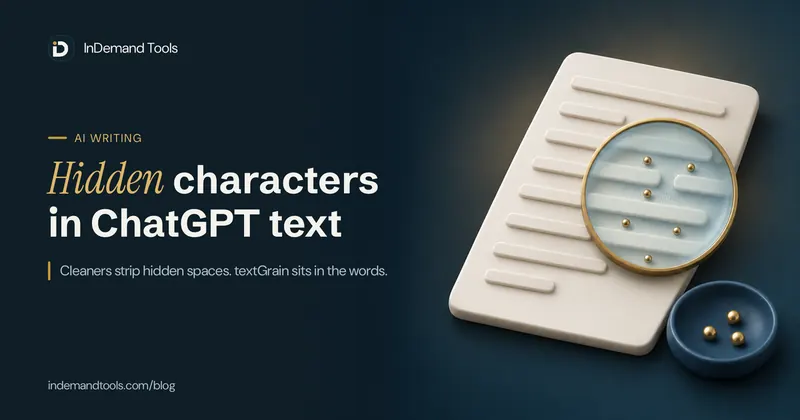
The hidden characters in ChatGPT text are Unicode characters that take up no visible space or look like an ordinary space: non-breaking and narrow no-break spaces, zero-width spaces and joiners, soft hyphens and direction marks. They are only one of three things people mean when they say copied AI text is "marked". The second is visible leftovers that are easy to miss, such as citation codes like citeturn0search1 and links ending in ?utm_source=chatgpt.com. The third is textGrain, the watermark OpenAI announced on 5 October 2026, which sits in the choice of words and has no characters to remove. A text cleaner deals with the first two. Nothing short of rewriting changes the third, and this guide explains why, along with how to check a document yourself.
Three things people call a ChatGPT watermark
Most articles on this topic mix these up, and the mix-up leads to bad advice in both directions: people strip characters thinking they removed a watermark, or they panic over a normal space that came from a web page. They behave very differently:
| What it is | Example | Can you see it? | Does a cleaner remove it? |
|---|---|---|---|
| Invisible or unusual characters | A zero-width space between two letters, a narrow no-break space before a word | No, it looks like nothing or like a space | Yes |
| Leftovers from the chat window | A citation code, a ChatGPT tracking tag on a link, stray asterisks and hash marks | Yes, once you look | Yes |
| A statistical watermark (textGrain) | Slightly tilted choices between words of equal meaning | No, and nothing is added to the text | No. Only rewriting weakens it |
The invisible characters, one by one
Every one of these characters has a job in normal writing, so whether to remove one depends on what it does in your text and whether your language needs it.
| Name | Its normal job | What it breaks when pasted | Safe to remove? |
|---|---|---|---|
| Non-breaking space (U+00A0) | Keeps "10 km" or "Mr. Rao" on one line | Excel's TRIM ignores it, so lookups fail; Python code with it will not run | Yes in English, replace it with a normal space |
| Narrow no-break space (U+202F) | French spacing before : ; ! ? and digit groups in some countries | The same problems as above | Yes in English, keep it in French |
| Zero-width space (U+200B) | Marks a place a long word may wrap, and separates words in Thai and Khmer text | Search, word counts, email addresses and codes pasted into forms | Yes in English |
| Zero-width joiner (U+200D) | Glues emoji into one (a family, a rainbow flag) and picks letter shapes in Indic scripts | Very little in plain English text | Only next to plain English text |
| Zero-width non-joiner (U+200C) | Stops letters joining, used all the time in Persian and often in Hindi | Very little in plain English text | Only next to plain English text |
| Soft hyphen (U+00AD) | Marks where a word may split with a hyphen at a line end | Search: a word with one inside no longer matches the same word typed normally | Yes |
| Word joiner and byte order mark (U+2060, U+FEFF) | Prevent a break; mark the start of some files | Text matching and imports, often as an odd first character in a CSV | Yes inside text |
| Direction marks (U+200E, U+200F) | Keep Arabic or Hebrew mixed with English in the right order | Very little in English-only text | Only when the text has no right-to-left script |
Where these characters come from
Not every hidden character in a document came from an AI model. Web pages use non-breaking spaces all the time, PDFs and slide decks add their own, and Word can add a non-breaking space before colons and question marks in French text. Copy text through two or three apps and some of these ride along.
The AI connection people talk about began in April 2025, when users found narrow no-break spaces in long answers from OpenAI's o3 and o4-mini models and some called them a watermark. OpenAI's help page on provenance states that textGrain adds no hidden characters, invisible spaces or unusual punctuation, so those spaces are not that watermark. A stray narrow space is weak evidence of anything. It is still worth removing in English text, because it causes the practical problems in the table.
The leftovers that give AI text away
The marks that most often reveal a pasted AI answer are in plain sight. They survive because people read the sentences and skip the links and symbols.
Links ending in utm_source=chatgpt.com
When ChatGPT links to a web page, it adds a tracking tag so the site owner can see the visit came from ChatGPT. Copy the link from the answer and the tag comes with it. In July 2026 Oliver Roberts of WashU Law wrote in Bloomberg Law that he found this tag in federal court opinions, in IRS Publication 4812 and in the U.S. International Trade Commission's "The Year in Trade 2024". He is careful to say the tag shows a link passed through ChatGPT and does not prove misconduct or a fake citation. A reader who sees it, though, will wonder what else came from the chat.
The fix is simple: delete ?utm_source=chatgpt.com (or &utm_source=chatgpt.com when the link has other settings) and open the link to confirm the page exists and says what your text claims. The second step matters more. A clean link to a page that does not support your sentence is worse than a tagged link to one that does.
Citation codes and boxes
Answers that searched the web show small source buttons. Copied through some apps, exports or older browser extensions, those buttons can turn into codes like citeturn0search1, into marks like 【4:0†source】, or into private characters that show as empty boxes. They are meaningless outside ChatGPT, and they sit in the middle of sentences where a quick read skips them.
Markdown symbols and chat phrases
ChatGPT formats answers with Markdown. Paste into an email, a form or a LinkedIn post that does not read Markdown and you get **bold** with the asterisks showing and ### in front of headings. The same Bloomberg Law piece mentions a city report that still contained "Certainly. Here's a revised version". No tool can judge whether a sentence like that belongs in your document, so these need a read-through by a person.
textGrain: the watermark a cleaner cannot touch
On 5 October 2026 OpenAI announced textGrain, as BleepingComputer reported. While writing, a language model often has several next words of nearly equal fit. textGrain nudges those choices using a secret key, and a detector with the same key checks whether a passage follows the pattern more often than chance. Nothing is inserted, so there is nothing for a cleaner to find. OpenAI's help page on provenance says the same: the mark is in the wording, not in hidden characters.
What is known about its reach and limits so far:
- It is being added to eligible ChatGPT and Codex text in the European Union over several weeks, a step OpenAI ties to the EU AI Act. Outside the EU it is off by default in ChatGPT.
- Developers anywhere can switch it on for supported models in the API. It is off unless they do.
- The detector is not public. OpenAI is giving access to approved researchers and expert organisations first.
- OpenAI's own figures for 400-token passages, about 300 words: detection fell from about 92% to 66% when 10% of the words were swapped for synonyms, and to 17% at 25%. Short answers and maths were harder to detect.
- OpenAI says a missing watermark does not prove a person wrote a text, and a detected one does not reveal who generated it or how much was edited afterwards.
So a "watermark remover" that only deletes characters does nothing to textGrain. Tools that rewrite text with synonyms weaken it by changing the words, which also changes your meaning in ways you then have to check. If you write in your own words with AI as a helper, the wording is yours anyway. If a school, client or publisher asks you to say when you used AI, cleaning the formatting does not change that, and it is not meant to.
How to find hidden characters in ChatGPT text yourself
You do not need special software to check a document, though a reveal tool is quicker. Start with the checks that catch the visible leftovers, because those matter most.
- Press Ctrl+F (Cmd+F on a Mac) and search for
chatgpt.com, thenturn0, then**. Any hit is a leftover from the chat. - Paste the text into the AI Text Cleaner and press "Show hidden characters". Each hidden character and odd space it checks for appears as a labelled mark at its place in your text, with a count. The text stays in your browser.
- In Microsoft Word, press Ctrl+Shift+8 to show formatting marks. A non-breaking space shows as a small raised circle instead of a dot. In Find and Replace,
^sfinds non-breaking spaces and^ufollowed by a decimal number finds any character:^u8203for a zero-width space,^u8239for a narrow no-break space. These codes work in the Find box only, so put a normal space or nothing in the Replace box. - In Excel or Google Sheets, compare
=LEN(A2)with the number of characters you can see. To fix a column,=TRIM(SUBSTITUTE(A2,CHAR(160)," "))turns non-breaking spaces into normal ones before trimming, and=SUBSTITUTE(A2,UNICHAR(8203),"")drops zero-width spaces. - In code, VS Code highlights invisible characters by default. Python stops at the first one it meets in a source file. When I saved a one-line script with a non-breaking space after a variable name, Python 3.13 refused to run it with
SyntaxError: invalid non-printable character U+00A0.
To see exactly what a cleaner changed, paste the original and the cleaned version into Diff Checker. Lines that only lost invisible characters still show as changed, which tells you where they were.
Why "remove all special characters" breaks your text
A common tip online is to strip every character outside basic English, often with a find-and-replace pattern like [^\x00-\x7F]. It does remove hidden characters. It also removes accents, currency symbols, emoji and whole languages. I ran that pattern and the AI Text Cleaner over the same samples to compare:
| Sample text | After "remove non-ASCII" | After AI Text Cleaner |
|---|---|---|
| Persian میخواهم ("I want", with a non-joiner) | Nothing left | Unchanged |
| Hindi क्ष (a half letter held by a joiner) | Nothing left | Unchanged |
Family emoji 👨👩👧 (three people joined into one) | Nothing left | Unchanged, still one emoji |
| Arabic مرحبا with a right-to-left mark, then "world" | " world" | Unchanged |
| café costs ₹250 | caf costs 250 | café costs ₹250 |
| and[narrow space]more[non-breaking space]text | andmoretext | and more text |
The last row shows a second problem: a pattern that deletes odd spaces instead of replacing them glues words together. Removing only the joiners from the family emoji is not safe either. The three people come apart into three separate emoji.
The AI Text Cleaner avoids this with two rules. It removes a zero-width joiner or non-joiner only when the characters on both sides are basic keyboard characters (English letters, digits, spaces or punctuation) or the start or end of the text, so emoji and Indic or Persian words keep theirs. It removes direction marks only when the text contains no Arabic, Hebrew or other right-to-left script. If you write in French, untick "Unusual spaces" so your narrow spaces before colons and question marks stay where they belong.
When one character changes the cost of a message
A standard SMS fits 160 characters from a basic character set. Add one character outside that set, such as a curly apostrophe, a long dash or a non-breaking space, and the whole message switches to Unicode encoding, where one SMS holds 70 characters and longer messages are split into parts of 67. A 150-character reminder written by ChatGPT goes from one SMS to three because of a single curly apostrophe. If you send messages in bulk and pay per part, that triples the bill.
Paste the message into Character Counter, which shows the number of SMS parts and the encoding. If it says Unicode and you expected plain text, run the message through the cleaner with curly quotes and long dashes switched to plain ones, then check again.
Forms have a similar trap. An email address, coupon code or reference number copied from an AI answer can carry a zero-width space that you cannot see, and the form rejects it as invalid. Typing the value again by hand is the quickest fix.
A clean copy routine for AI drafts
- Paste the draft into the AI Text Cleaner with the default options and read the summary line. It says how many hidden characters, unusual spaces, citation leftovers and Markdown symbols it removed.
- Choose what happens to long dashes. A comma suits most sentences, a spaced hyphen keeps the pause, and "Keep them" leaves your style alone.
- Open every link that remains. Confirm the page exists and supports the sentence that cites it.
- If your text is going into an email or form that does not read Markdown, check it in Markdown Preview first to see what the symbols were doing.
- Read the whole thing as a reader would. Remove chat phrases, fix facts and make the wording your own. Our guide to editing AI content so it sounds human has a 15-minute pass for this.
- Check the length with Word Counter if you have a limit to meet.
Publishing on a website adds its own questions, from search rankings to disclosure. Is AI content bad for SEO? covers what Google says, and how to use AI to write blog posts covers the drafting side.
Frequently asked questions about hidden characters in AI text
Does ChatGPT put hidden characters in its answers?
Sometimes. Users found narrow no-break spaces in long answers from OpenAI's o3 and o4-mini models in 2025, and copied text can also carry non-breaking and zero-width spaces from the page around it. OpenAI says its textGrain watermark adds no hidden characters, so they are not a watermark.
Does removing hidden characters remove the ChatGPT watermark?
No. textGrain sits in the choice of words, so deleting characters leaves it unchanged. Removing hidden characters fixes formatting problems such as broken search, failed spreadsheet lookups and code that will not run.
Does utm_source=chatgpt.com mean someone used ChatGPT?
It means the link was copied from a ChatGPT answer. It does not show how much of the text came from ChatGPT or whether the source is real. A link without the tag proves nothing either, because the tag is easy to delete.
Can a teacher or an AI detector see hidden characters?
Anyone can see them with Word's formatting marks or a reveal tool. AI detectors mostly judge the wording, so cleaning characters changes little there. No detector result proves who wrote a text, and OpenAI says the same about its own watermark.
Is it safe to delete every zero-width joiner?
Not in every language. Joiners hold emoji sequences together and shape letters in Hindi, Malayalam and other Indic scripts, and non-joiners are part of normal Persian spelling. Remove them only next to plain English letters, digits and punctuation, which is what the AI Text Cleaner does.
Is textGrain switched on outside the EU?
At launch, OpenAI is adding it to eligible ChatGPT and Codex text in the European Union, and it is off by default elsewhere. API developers in any country can switch it on for supported models. OpenAI may change this, so check its help page for the current position.