Password manager breach: what to change first
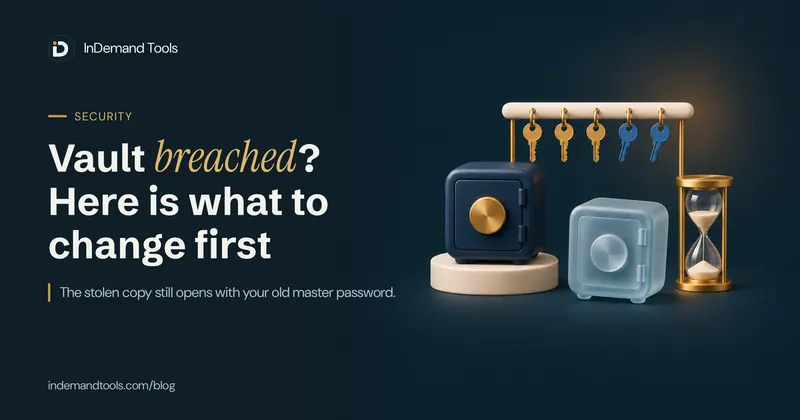
After a password manager breach, changing your master password is not enough. A thief who took a copy of your vault can keep guessing at that copy offline, and the copy still opens with the old master password. Start with anything you can't change, like a crypto recovery phrase. Then do your email, the two-factor codes and passkeys that lived in the vault, and money accounts, in that order. How fast you need to move depends on two things: how strong your old master password was, and how many key derivation rounds your vault used.
This guide was prompted by the mSecure warning of November 2026, but the steps apply to any password manager. It covers what a stolen vault copy lets someone do, how long a vault's encryption holds against a well-equipped attacker, and the order to work through your accounts. New passwords can come from our free Password Generator, which creates them on your device.
What mSecure told its users
On 3 November 2026, mSeven Software, which makes the mSecure password manager, emailed current and former customers about "suspicious activity associated with the mSecure password management application". The email said the company had started an investigation, taken steps to mitigate the issue and brought in outside security experts. It recommended "changing passwords, resetting or re-enrolling two-factor authentication methods", and The Register reported that it also told customers to remove existing passkeys.
The email did not say what happened, when, or whether any stored data was taken. Some outlets have since reported, from support replies that customers shared, that an encrypted copy of a database belonging to users who sync with mSecure Cloud was taken. As of 10 November 2026 we found no public statement from mSeven confirming that. If you use mSecure, follow the company's advice as if your vault copy is in someone else's hands. If it turns out to be less serious, you have still replaced old passwords, which costs you an evening.
What a stolen vault copy lets a thief do
Good password managers encrypt your vault on your device before it is synced, using a key made from your master password. The company stores only the scrambled result. That design is why a leaked vault is not instantly readable. It also means the thief's job becomes a guessing contest they can run at home.
When a website stores your login, it can lock the account after a few wrong attempts. A stolen vault file has no such limit. The thief runs guesses on their own graphics cards, as fast as the hardware allows, for as long as they like. Nobody is alerted when they get it right.
Three practical points follow from this.
- Changing your master password now locks the vault on your devices with the new one. The stolen copy is still locked by the old master password. If the old one is ever guessed, every password in the copy is readable, including ones you have not changed since.
- Not every field is always encrypted. In the 2022 LastPass breach, researcher Wladimir Palant found that the stolen vaults kept website addresses readable while the passwords were encrypted. Readable addresses can tell a thief which vaults hold, say, crypto exchange logins, and so which ones are worth attacking first. mSecure has not said what fields its database held.
- The attack can come years later. Krebs on Security reported in 2023 that cryptocurrency was being stolen from LastPass users whose vaults had been taken in 2022. In March 2025, US prosecutors filed to seize about $24 million linked to a $150 million theft from January 2024, which the Secret Service's seizure complaint tied to the LastPass breach. LastPass has said it is not aware of conclusive evidence connecting the thefts to its incident.
How long a stolen vault holds out
Two numbers decide how long the copy resists guessing. The first is your master password. The second is how many times the app runs it through a hash function before turning it into a key, a step called key derivation. The common method, PBKDF2, repeats a hash like SHA-256 many thousands of times. Our Hash Generator shows a single SHA-256 pass, which a graphics card can compute billions of times a second. PBKDF2 wraps the hash in a slightly heavier step and repeats that step for every round, so each guess costs hundreds of thousands of times more work than one hash, and the cost grows in step with the round count. OWASP recommends 600,000 rounds of PBKDF2 with SHA-256 for storing passwords.
We worked out the table below from a public hashcat benchmark: one Nvidia RTX 4090 tests about 8.87 million guesses a second against PBKDF2-SHA256 at 999 rounds. The table assumes an attacker with 100 of these cards and shows the average time to find a randomly generated master password. A full search takes twice as long.
| Master password | 5,000 rounds | 100,100 rounds | 600,000 rounds |
|---|---|---|---|
| One already in a leak list of a billion | 6 seconds | 2 minutes | 11 minutes |
| 8 random characters | 33 days | 22 months | 11 years |
| 4 random words | 4 months | 7 years | 39 years |
| 5 random words | 2,500 years | 51,000 years | 305,000 years |
| 12 random characters | 3 million years | 57 million years | 340 million years |
The character rows treat every character as picked evenly from the 75 letters, digits and symbols our generator uses by default. Our generator also makes sure each type appears at least once, which changes the odds slightly, so read these rows as close estimates. The word rows use the 7,776-word EFF list the generator uses for passphrases. The leak-list row is the time to try all billion entries, so a password on that list falls within that time whatever its length.
Some things the table can't show:
- It only applies to passwords picked at random. A master password you made up yourself, like a name, a year and a symbol, is far weaker than its length suggests. Cracking tools try words, names, dates and common swaps such as "@" for "a" before anything else.
- The round count matters as much as the password. The same 4-word passphrase lasts about 4 months at 5,000 rounds and about 39 years at 600,000.
- Graphics cards get faster every year, and a stolen file can wait for them. A margin of a few years today is thin.
- Some apps use stronger methods such as Argon2, which are slower to attack on graphics cards than PBKDF2. mSecure has not published its key derivation method or round count, so we can't say which column applies to it.
Older accounts are often the weakest. Palant reported that LastPass's default rose over the years from 1 round to 500, 5,000, 100,100 and later 600,000, and that most old accounts kept their old setting. Krebs reported that many of the LastPass theft victims were long-time customers with simple master passwords. If your account is several years old, check its key derivation setting, which most apps show in their security or account options. Raising it protects your vault from now on, but it doesn't change a copy that was already taken.
What to change first, in order
You probably have more logins than you can replace in one sitting. Work from what an attacker could do the most damage with, and from accounts that can reset other accounts.
- Anything that can't be changed. A crypto wallet's recovery phrase (seed phrase) kept in a secure note can't be given a new password. The only fix is to create a new wallet on a trusted device and move the funds to it. Do the same for anything else in the vault that can't be changed and gives someone access to money, such as private keys.
- Your main email account. Most "forgot password" links go to it, so whoever controls it can take over most of your other accounts. Change its password, then check its recovery phone number, recovery email and any forwarding rules you didn't set up.
- Accounts whose two-factor codes were in the same vault. Many managers can store the six-digit code generator for a site. If the vault held both the password and that code source, opening the vault gives a thief both. On the website itself, remove the old authenticator and set up two-factor again, so the site issues a new secret with a new QR code. Then check that a code from the old entry is refused. Generate new backup codes too, and store them somewhere other than the old vault.
- Passkeys saved in the vault. Deleting a passkey from your password manager does not revoke it. The website still accepts the old key until you remove it in the site's own security settings. Add a new passkey first, then delete the old one on the site.
- Money: banks, cards, UPI and payment apps, brokers and exchanges. Then your mobile carrier account, since a thief who moves your number can receive your SMS codes.
- Work accounts. Tell your IT team straight away rather than changing them quietly, since they may need to reset access for you or check the account for misuse.
- Tax and government portals, health records, and cloud storage that holds scans of IDs.
- Everything else, in batches. Delete accounts you no longer use instead of changing their passwords.
Any old password you also used on another site needs changing there too. A stolen vault is effectively a list of your reused passwords, matched to the sites where they work.
Where to put the new passwords
mSecure has not said whether it is safe to keep using the app. Wherever you keep your vault from now on, passwords you create after the theft are not in the stolen copy. If you stay with the same manager, change its master password before you start. Some managers keep the same encryption key underneath and only lock that key again with the new password, so a thief who cracks the old copy could also read data encrypted with that key that they steal later. If your manager offers to rotate the vault's encryption key, as Bitwarden does as a separate step, do that too, and follow the vendor's own incident guidance.
For the new master password, use random words. You have to type it from memory, and words are easier to type and remember than symbols. In the Password Generator, pick Passphrase, set Words to 6 and leave the separator as a hyphen. Six random words give about 77 bits, which is millions of years in every column of the table above. The default of 5 words is about 65 bits, still thousands of years at 5,000 rounds. Don't change a word to one you like better; once you pick, it isn't random.
For the passwords inside the vault, which you never type, use Random password at the default 16 characters. If a site rejects some symbols, edit the "Symbols to use" box to match its rules. Tick "Leave out look-alikes" for any password you might have to read off one screen and type on another, such as a Wi-Fi password.
If a site rejects a new password you copied from a note or a chat, an extra character may have come along with it, often a space or line break at the end. Paste it into the Character Counter: if the count is higher than the length you generated, or it shows spaces in a password that has none, retype the end or copy it again. Our guide to hidden characters in copied text explains where these come from.
The generator runs in your browser with its secure random number source, and nothing is sent to our server. The strength line under each password assumes 10 billion guesses a second, which is what a fast single hash allows. That is the gloomy case: inside a vault with proper key derivation, the same password lasts far longer.
Watch for breach "support" scams
Breach notices are followed by fake ones. Expect emails and messages that look like they come from your password manager, asking you to "verify your vault", download a "security update" or reply with a code. A genuine company does not ask for your master password, recovery codes or two-factor codes. Open the app or type its web address yourself instead of following a link. Fake download pages are an old trick: the FBI has warned about free file converter sites that hand back malware, and our guide on whether online file converters are safe shows how to check a site before you give it anything. Scammers also use QR codes in emails and posters to hide where a link goes, and our guide on how to check if a QR code is safe shows how to see the address before you open it.
Frequently asked questions about password manager breaches
Does changing my master password protect me after a breach?
Only partly. It locks the vault on your devices with the new password, but a copy taken before the change still opens with the old one. In some managers the encryption key underneath stays the same unless you rotate it separately. That is why the advice is to change the passwords stored inside, starting with email, money and anything that resets other accounts.
Is my mSecure vault safe if I didn't sync with mSecure Cloud?
We don't know. Reports say the affected users were those who synced with mSecure Cloud, but mSeven has not confirmed this publicly, and its email went to current and former customers. If you ever used mSecure Cloud, act on the warning.
How long should a master password be?
Six random words or 12 random characters is a sound minimum. A thief with 100 high-end graphics cards would need millions of years on average to guess either one, even at a low 5,000 rounds of key derivation. Generate them; don't make them up.
Do I need to change every password in the vault?
Eventually, yes, for every account you still care about. Start with email, two-factor codes and passkeys that were in the vault, money and work, and delete the accounts you no longer use.
Should I stop using a password manager?
For most people the alternative is reusing a few passwords, and then one leaked website opens the others. A manager with a strong random master password and a high key derivation setting is still a better choice. Prefer one that publishes how it encrypts your vault.
Are passkeys stolen in a vault breach?
Passkeys saved in a password manager are stored in the vault, encrypted like your passwords. To replace one, add a new passkey on the website, then delete the old one in the site's security settings. Removing it only from the app leaves it valid.