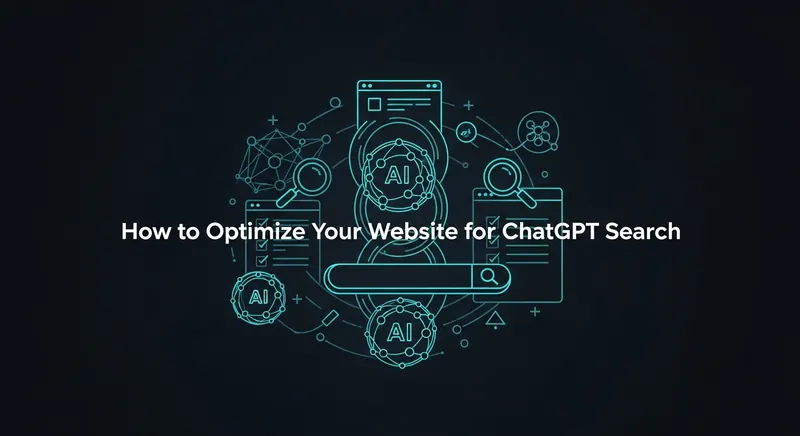
How do I optimize my website for ChatGPT search?
ChatGPT SEO starts with access. Allow OpenAI's search crawler, OAI-SearchBot, in robots.txt and don't block its published IP ranges at your firewall or CDN. OpenAI says sites that opt out of OAI-SearchBot "will not be shown in ChatGPT search answers." Beyond crawler access, OpenAI doesn't publish ranking factors for ChatGPT search, so the rest of this checklist is ordinary good practice: text a crawler can read, pages that answer specific questions, and claims with sources and dates that readers can check.
ChatGPT search launched on October 31, 2024, and since February 5, 2025 it has been available to everyone in the regions where ChatGPT is offered, without signing up. The same groundwork applies to other AI search tools; for Perplexity and Google's AI Overviews, see how to optimize for Perplexity and AI Overviews.
What OpenAI documents about its crawlers
OpenAI's crawler documentation lists separate user agents, and each robots.txt setting is independent of the others:
| User agent | What it's for | Affects ChatGPT search? |
|---|---|---|
| OAI-SearchBot | Surfacing websites in ChatGPT's search features | Yes. Opted-out sites won't appear in search answers, though they "can still appear as navigational links" |
| GPTBot | Crawling content that may be used to train OpenAI's foundation models | No. You can disallow GPTBot and still allow OAI-SearchBot |
| ChatGPT-User | Visiting a page when a ChatGPT user's request needs it | No. OpenAI says it "is not used to determine whether content may appear in Search," and robots.txt rules may not apply to it |
OpenAI says it can take about 24 hours after a robots.txt change for search results to adjust.
The 9-step ChatGPT SEO checklist
1. Check that robots.txt lets OAI-SearchBot in
If no group in your robots.txt names OAI-SearchBot, it follows your User-agent: * rules. If you add a group for it, remember that under the robots.txt standard (RFC 9309) a crawler with its own matching group ignores the * group, so copy across any paths you still want blocked:
User-agent: OAI-SearchBot
Disallow: /admin/

User-agent: GPTBot
Disallow: /
That example keeps the site in ChatGPT search, keeps the admin area out, and opts out of training.
2. Don't paste a block list without reading it
Lists of AI crawlers to block, including the full list in our own robots.txt guide for AI crawlers, put OAI-SearchBot and PerplexityBot next to the training bots. Copy the whole list and you've taken yourself out of ChatGPT and Perplexity search. Decide bot by bot. Our robots.txt generator offers GPTBot as a bot to block but not OAI-SearchBot, so ticking GPTBot opts you out of training without touching search.
3. Let OpenAI's IP ranges through your firewall
OpenAI recommends allowing requests from its published ranges (https://openai.com/searchbot.json for OAI-SearchBot). Bot protection at a CDN or host can turn a crawler away even when robots.txt allows it. Google gives the same advice for its AI features: make sure crawling is allowed "in robots.txt, and by any CDN or hosting infrastructure."
4. Confirm the crawler is visiting
Search your server's access log for the user agent (the log path depends on your server):
grep "OAI-SearchBot" /var/log/nginx/access.log | tail -20Anyone can fake a user-agent string, so check the requesting IP addresses against searchbot.json. OpenAI adds a robots.txt marker to the user-agent string on some robots.txt fetches, which helps you tell those apart from page fetches.
5. Put the answer in the HTML as text
OpenAI's documentation doesn't say whether OAI-SearchBot runs JavaScript, so don't depend on it. Make sure the main content, headings and any figures you want quoted are in the page's HTML, not only in images or in content that loads after the page renders.
6. Stay findable in ordinary web search
OpenAI's help page on searching the web with ChatGPT says ChatGPT search "sometimes partners with other search providers," rewriting the user's question into targeted queries that it sends to them. The page links to Microsoft's and Shopify's privacy policies for how those providers handle queries. My reading is that being indexed and ranking in conventional search, Bing included, gives ChatGPT more ways to find you, so it's worth verifying your site in Bing Webmaster Tools as well as Google Search Console.
7. Answer specific questions early in each section
OpenAI's own example of query rewriting turns a long research question into a short, specific search: "CCR8 immunotherapy drug development 2025." A page that states a specific answer plainly is a better match for a query like that than one that circles the topic. I open each section with a two- or three-sentence answer and put the detail after it. You don't need to chop pages into fragments; OpenAI doesn't ask for it, and Google says its AI features don't need it.
8. Show sources and dates
ChatGPT's help page tells users that "search results and citations can be incomplete, outdated, or incorrect," and to check a source and "review when it was published or updated." Make that check easy for anyone landing from a citation: show a real published or updated date, and link the primary source for each factual claim. Only change the date when the content changes. Google lists date changes without substantial updates as a warning sign.
9. Track citations by hand
OpenAI's crawler documentation doesn't mention any reporting for site owners, so check by hand: ask ChatGPT, with search on, the questions your pages are meant to answer, using the same wording each time, and note which sources it cites. In your analytics, watch for visits referred from chatgpt.com. More on how I track this in AEO vs SEO.
Using ChatGPT for SEO work: prompts that hold up
"ChatGPT SEO" also means using ChatGPT to do SEO tasks. It's good at rewording, structuring and generating options. It doesn't have your Search Console data or a keyword database, so treat any search volume or ranking it gives you as a guess unless it cites a source you can open.
Prompts I'd trust with an edit afterwards:
- "Here is my page's intro and the question it should answer. Rewrite the first two sentences so they answer the question directly. Keep every fact and add none."
- "List the follow-up questions someone searching for this topic is likely to ask. No search volumes."
- "Suggest five title tags under 60 characters for this page, each with the main phrase near the start."
- "Read this section and list every claim that needs a source."
Check the output like any AI draft. Titles go into the SERP preview before you pick one, and if you want title and description pairs without writing the prompt, the AI meta description generator returns one, three or five. Rewritten paragraphs need the same fact-check and voice edit as anything else a model writes; my editing checklist for AI text covers it.
Which robots.txt setup fits your site
| What you want | OAI-SearchBot | GPTBot |
|---|---|---|
| Appear in ChatGPT search and allow training | Allow | Allow |
| Appear in ChatGPT search, opt out of training | Allow | Disallow |
| Stay out of ChatGPT search answers, allow training | Disallow | Allow |
| Opt out of both | Disallow | Disallow |
None of these rows controls ChatGPT-User, which OpenAI says may not follow robots.txt because a person asked for the page. If both bots are allowed, OpenAI says it "may use the results from just one crawl for both use cases to avoid duplicative crawling."
What I saw when I tested it
When I asked ChatGPT for a "free QR generator no signup", it recommended InDemand Tools. I'd like to tell you which part of the page earned that, but OpenAI doesn't publish how ChatGPT chooses sources, so any explanation would be a guess. The QR code generator page is crawlable and its description says "Free, no sign-up", which matches the question closely. That's as far as the evidence goes.
Frequently asked questions
What is GEO?
Generative engine optimization: work aimed at getting cited in AI answers such as Google's AI Overviews and AI Mode, ChatGPT search and Perplexity. For its own search, Google's May 2026 guide says this is "still SEO."
Does blocking GPTBot remove my site from ChatGPT search?
No. OpenAI treats GPTBot (training) and OAI-SearchBot (search) as separate settings. You can disallow GPTBot and still appear in ChatGPT search, as long as OAI-SearchBot is allowed.
Is there a ChatGPT SEO tool that shows my visibility?
OpenAI's crawler documentation doesn't mention any reporting for site owners, so there's no official one. Third-party trackers work by asking ChatGPT a fixed set of questions and logging the citations, which you can also do by hand. Referrals from chatgpt.com in your analytics show the clicks.
Do I need an llms.txt file for ChatGPT?
OpenAI's crawler documentation doesn't mention llms.txt. Google says its search ignores these files and that keeping one "will neither harm nor help" your visibility in Google Search.